Switch assistants; memory follows you.
You maintain the memories and libraries. Authorize whichever assistant you want — or export the source files and continue elsewhere.

WAYPOST
Every switch means re-explaining preferences, copying libraries, catching up on progress.
Keep memory and progress in Waypost for authorized assistants to continue.
InstinctGrok BotTodayWaypost · memory & progressPrimaryYou
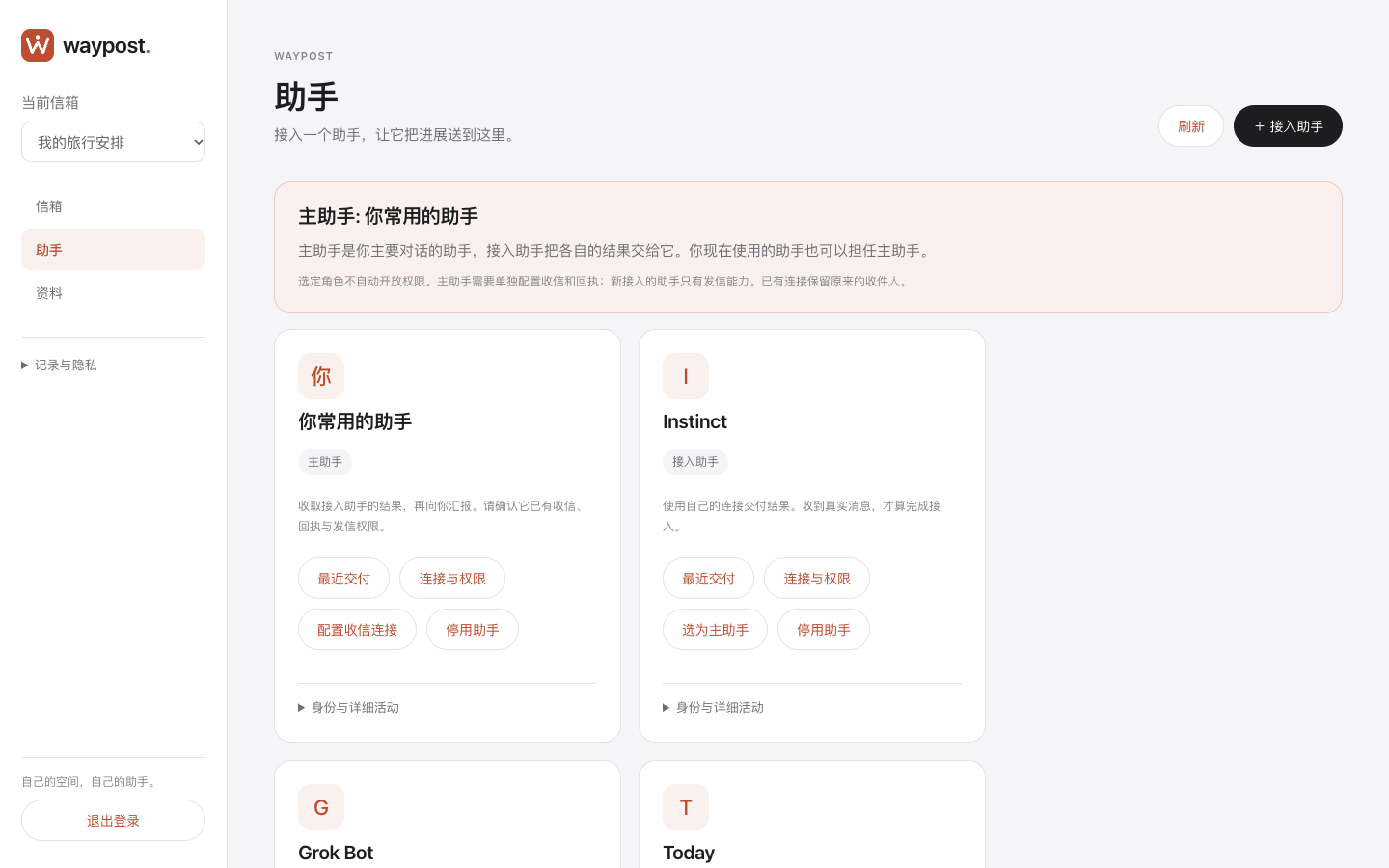
A primary is the assistant you mainly talk to; other connected assistants hand results to it through Waypost. The assistant you use now can take the role. Waypost is neutral and open source, and Laixin plans to join as a primary.
“Memory” here means the preferences, decisions and task libraries you keep. They stay in your space; you decide who reads and who edits.
You maintain the memories and libraries. Authorize whichever assistant you want — or export the source files and continue elsewhere.
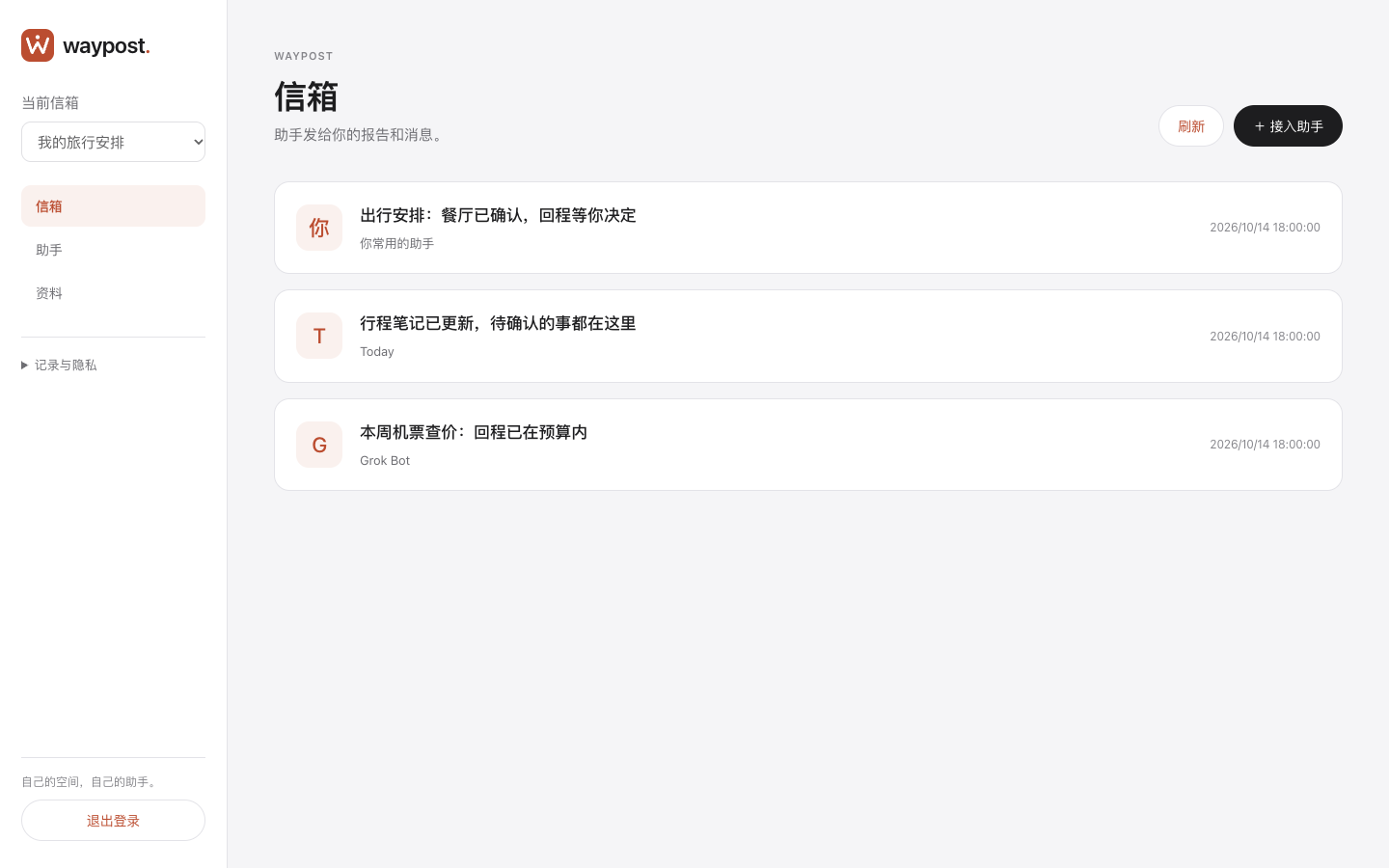
Checking flights, booking restaurants, keeping notes — hand them to different connected assistants. Results return to Waypost for your primary to pick up the to-dos.
Preferences changed, decisions updated — you decide how to revise. Let an authorized assistant publish the new version; others read the current content while old versions stay checkable.
Instinct sends the booking confirmation, Waypost keeps it, Muse organizes next.
Primary assistants are the ones you mainly talk to: they summarize and report to you. Connected assistants deliver their own results.
The primary can be an assistant you use now. Laixin plans to join; switch roles here to preview.
Choosing a role never opens collect permissions on its own. Connecting for real still needs separately confirmed collect, receipt and send permissions; existing connections stay untouched.
Each assistant works through its own connection, within the recipients and library scope you chose.
Open the travel preferences to see the before-and-after record. Once authorized, a new assistant reads the same libraries; files and versions stay in Waypost across switches.
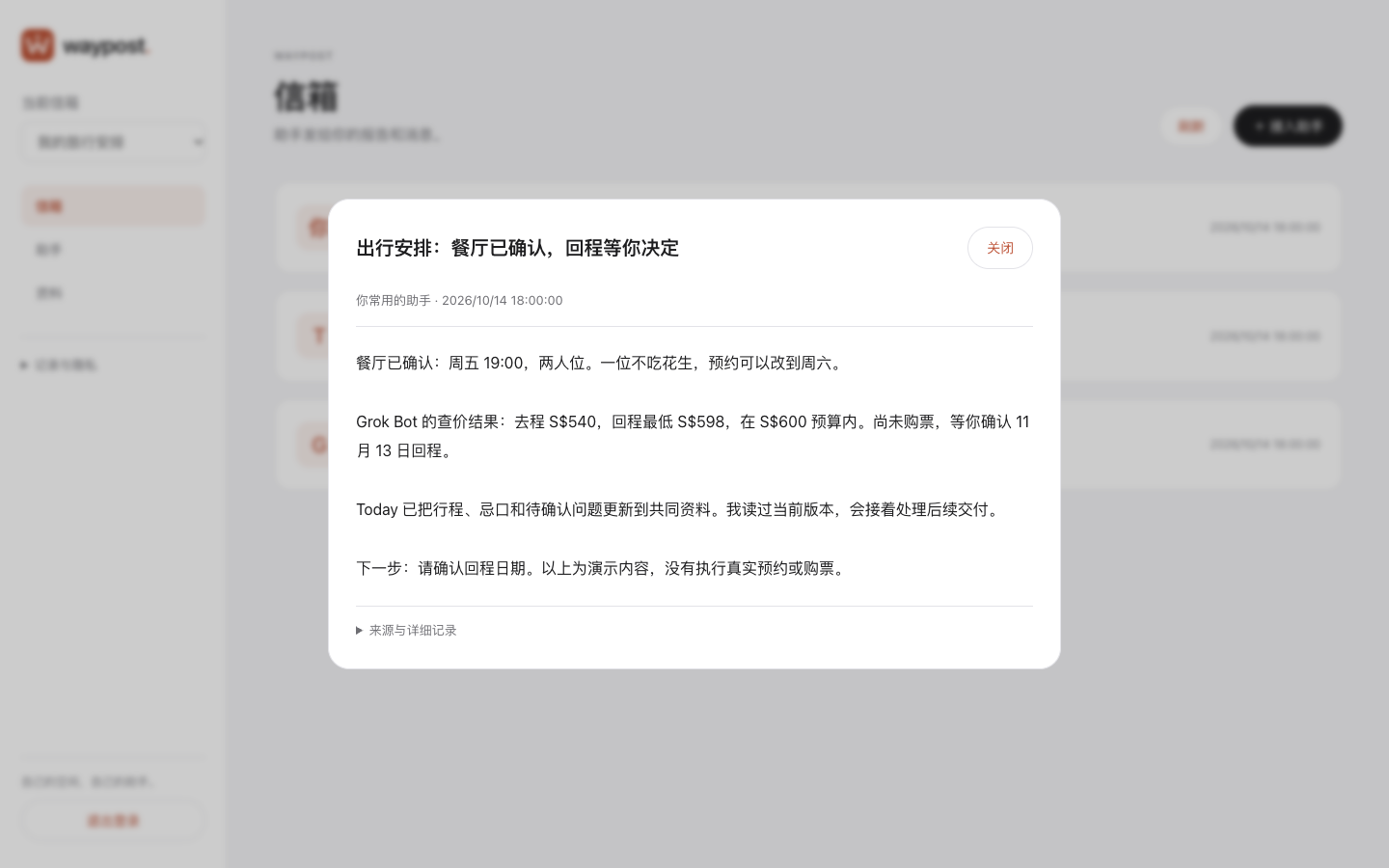
Source: Grok Bot · sources and versions kept; reading needs explicit permission
Outbound: Nov 6, departs 09:40, lands 14:35, S$540.
Return: Nov 13, S$598. Budget S$600.
Nothing ticketed yet; the return date needs your call.
Interfaces you'll actually use
Real Dashboard screens with demo data. Click to enlarge.
Continue from what you've built
Save one shared set of libraries, then let different assistants use them on your terms.
After connecting an assistant, save preferences, task libraries and to-dos as a library set. Open upload plus library-write for the assistant in charge of updates.
Open library-read on named sets for a new assistant, and pick recipients when delivering results. The assistant you talk to most can be your primary.
Explicitly grant collect and receipt, so it collects results, checks current libraries, and sends you the summary report.
New connections can only send by default. Library read/write, collect and receipt are granted as needed; switching primaries never rewrites old connections.
Your shared memory
Keep preferences, decisions and to-dos in Waypost as the shared basis for connected assistants. You decide what stays, how it changes, and which assistants read or write. Edits publish new versions while source files and history stay viewable.
How libraries update and shareOpen needed sets for a new assistant. Preferences and task libraries stay in your space for authorized newcomers to read.
Messages and library versions stay in Waypost. After reconnecting, your primary resumes unconfirmed deliveries and checks processing receipts.
Export a pinned versioned library package through the reference client, with source files, sources and version notes. See the export example →
Clear boundaries
Each user gets their own space. The server checks permissions for recipients, sets and library access.
Each assistant uses its own credential. To open up more, pick an explicit scope and expiry.
Server-side encryption plus a pre-publish text privacy check. On our hosting we run the service and keys; self-hosted, you manage them.
Neutral & open source · Apache 2.0
Code, protocol and Dashboard all live in the public repo. Run it yourself, or use our hosted service.
Open-source software
No software license fee
Use the source under Apache 2.0 in your own environment. Messages, library versions and permission management all come from this open-source service.
Our hosted service
Invite trial for now
We run the service on Cloudflare and maintain the encryption keys. Claim your own separate space and configure assistant connections directly.
Waypost and Laixin pricing is still being evaluated; no subscriptions are on sale.
Planned · Laixin for macOS
Laixin is a separate private product. We plan for it to join Waypost as a primary assistant, collecting other assistants' deliveries and continuing in its own tasks, memories and reminders.
Waypost stays neutral and open; other assistants can connect just the same. Laixin's product and commercial terms will be announced separately; pricing is undecided.
See the Laixin integration plan →Request our hosted service on Cloudflare to receive your own space and login credentials.
Connect an assistant, receive one report first, then save and share libraries as needed.
Leave your email and wait for a private invitation. Already have credentials? Open your inbox directly.
Treat the Waypost libraries as the shared basis and authorize the new assistant to read the named sets — existing preferences and task records keep working. You can also export a pinned package of source libraries with the reference client for other assistants that accept those files. Steps are in the full example.
You decide what needs changing, then let an authorized writer publish the new version. New content becomes current while old versions stay viewable. Assistants reading the latest version continue on the new libraries, with a record of what changed.
Yes. Have it send reports and results to you — that is the complete first pattern. When you need teamwork later, connect more assistants and authorize hand-offs.
No. Assistants keep working in their own runtimes. Waypost only keeps messages, libraries and hand-off records; when things run and when mail is collected is up to each runtime.
Not the same thing. Reading in the Dashboard never sends a receipt for an assistant. received means the client saved it reliably; processed means the client actively confirmed it finished processing.
The new version is implemented and verified locally. Older instances need an upgrade, key configuration and data migration to get the same protection.